1 Abstract
Egocentric video is increasingly used as a data source for robot learning, activity understanding, and embodied AI research, but collecting it at scale remains fragmented in practice: each candidate host device, such as an Android phone, iPhone, iPad, smart glasses, or extended reality (XR) headset, exposes a different SDK, a different policy on raw camera access, and different limitations on external USB cameras and on-device tracking. Synchronized ego-view and wrist-view capture is therefore typically obtained by either committing to a single proprietary platform or building one-off rigs that do not transfer across devices.
To address this gap, we present EgoKit, a toolkit that exposes the same egocentric recording workflow across six heterogeneous host devices. Across all supported devices, EgoKit presents the same recording interaction and produces locally stored video with a uniform log format; on XR headsets, it additionally logs head pose and OpenXR-standard 26-joint hand tracking aligned to the video streams. The companion accessories, including two wrist cameras with mounts, a head strap, and a USB-C hub, add wrist-view capture to any supported host without custom hardware fabrication.

One unified recording workflow across six heterogeneous capture devices.
2 Overview Video
A walkthrough of the EgoKit recording workflow, the supported devices, and the off-the-shelf accessory configuration for synchronized ego- and wrist-view capture.
Watch on YouTube if the embedded player is unavailable.
3 Download the EgoKit Family
EgoKit ships a per-platform application that implements a shared recording workflow. Each release captures the ego view and up to two wrist cameras locally in H.264 with a uniform log format. Download links below are placeholders.
4 Off-the-Shelf Accessories
To extend any supported host with wrist-view capture, EgoKit pairs the software with consumer-grade accessories built entirely from off-the-shelf parts: two USB wrist cameras with mounts, a head strap, and a USB-C hub. The accessories cost about $151, require no custom fabrication, and work across all supported devices.
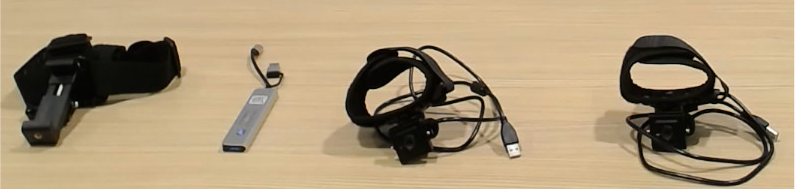
| Item | Cost |
|---|---|
| Wrist camera (×2) link | ~$80 |
| Wrist camera mount (×2) link | ~$30 |
| Head strap link | ~$20 |
| USB-C hub | ~$20 |
| Machine screw (×2) link | ~$1 |
| Total | ~$151 |
5 User Interface
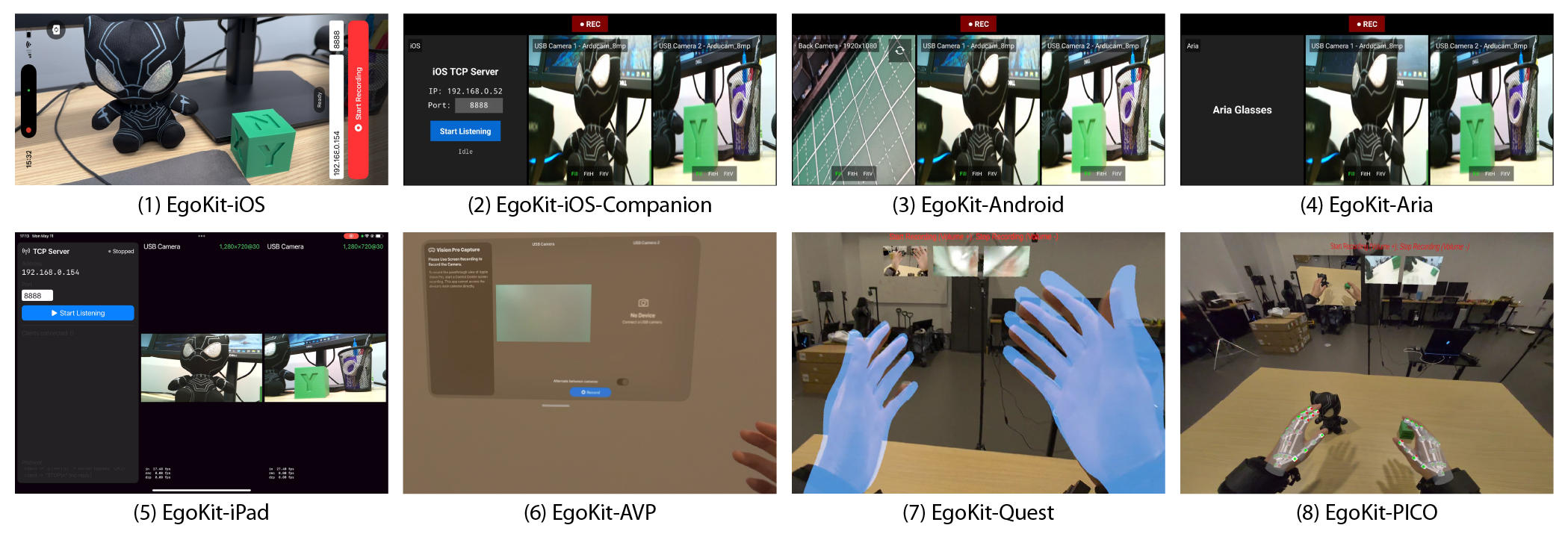
Across all supported devices, EgoKit presents the same recording interaction: operators trigger recording the same way on every device, with volume keys bound to start/stop so the operator's hands remain free.
6 Capture Setups
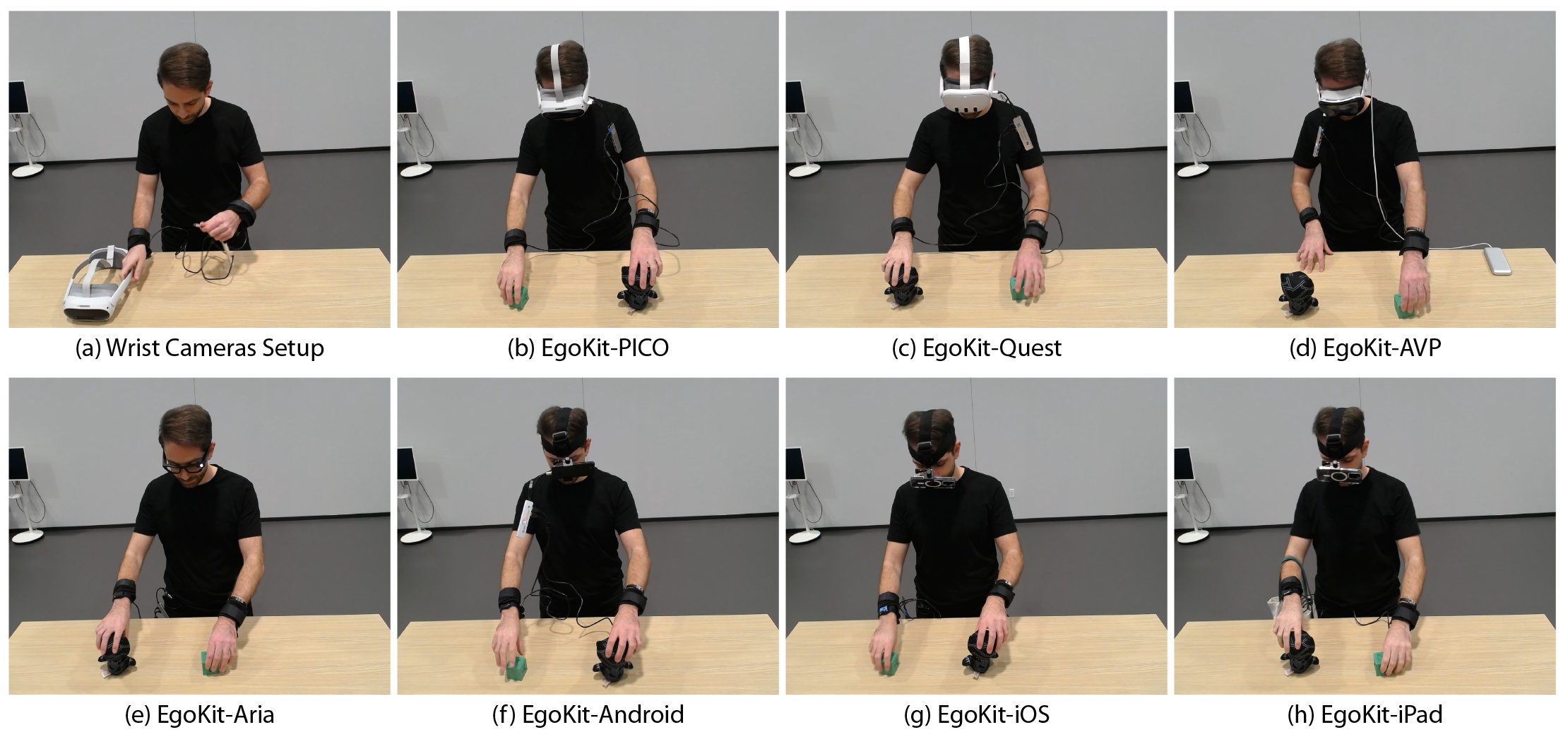
EgoKit supports a range of capture configurations, pairing a host device with the accessory kit to record synchronized ego-view and wrist-view data with a single operator workflow.
7 Egocentric View Examples

8 Wrist View Examples

9 Citation
If you find EgoKit useful in your research, please cite our work:
@article{yu2026egokit,
  title   = {EgoKit: Towards Unified Low-Cost Egocentric Data
             Collection with Heterogeneous Devices},
  author  = {Yu, Liuchuan and Murat, Erdem and Wang, Beichen and
             Zeng, Yan and Luo, Tingting and Zhou, Huizhen and
             Li, Shanghao and Feng, Huining and Zhao, Zhigen and
             Yang, Ning and Jing, Ke and Liu, Yunhao and Sheng, Ruoya},
  journal = {arXiv preprint arXiv:2605.16797},
  year    = {2026},
  url     = {https://arxiv.org/abs/2605.16797}
}